The last minute, one key away
Ghostclip keeps a rolling buffer of your screen and sound. The hotkey saves it as an MP4 in a folder per game: safe in milliseconds, written in under two seconds, never re-encoded.
FREE · OPEN SOURCE · WINDOWS 10 / 11
Press Alt+F10 and the last minute of your game is a clip. Captured and encoded on your GPU, with nothing injected into the game, no account and no ads.
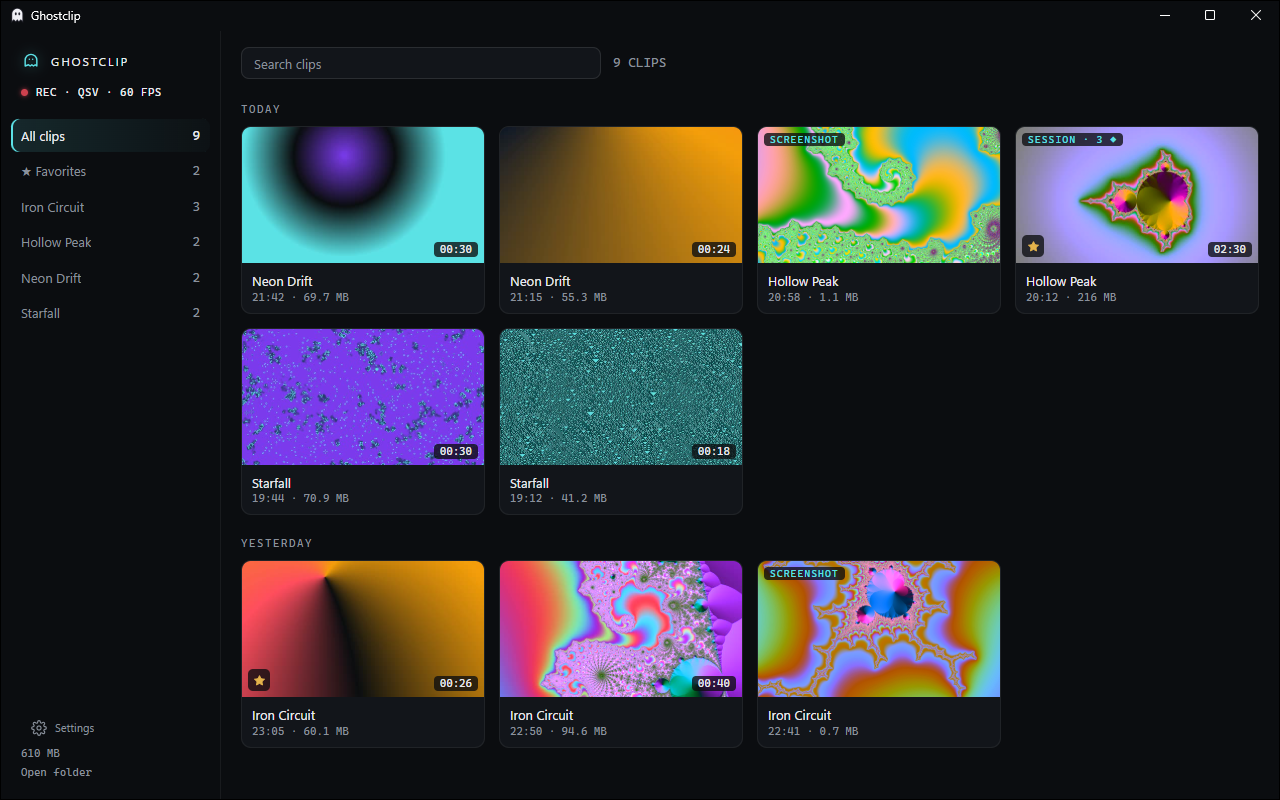
Ghostclip keeps a rolling buffer of your screen and sound. The hotkey saves it as an MP4 in a folder per game: safe in milliseconds, written in under two seconds, never re-encoded.
Alt+F9 records from start to stop, and the clip key drops bookmarks on the timeline. It keeps the replay buffer instead of running a second encoder, so the game pays nothing extra. Alt+F11 saves a screenshot next to your clips.
Record everything you hear, or just the game: no Discord call, no music. It follows the game you play, not whatever window is in front.
The microphone is a separate audio track, so you can turn yourself down later, or mute it per game with a profile. The Discord app's sound can get a track of its own too, so a call can be muted after the fact.
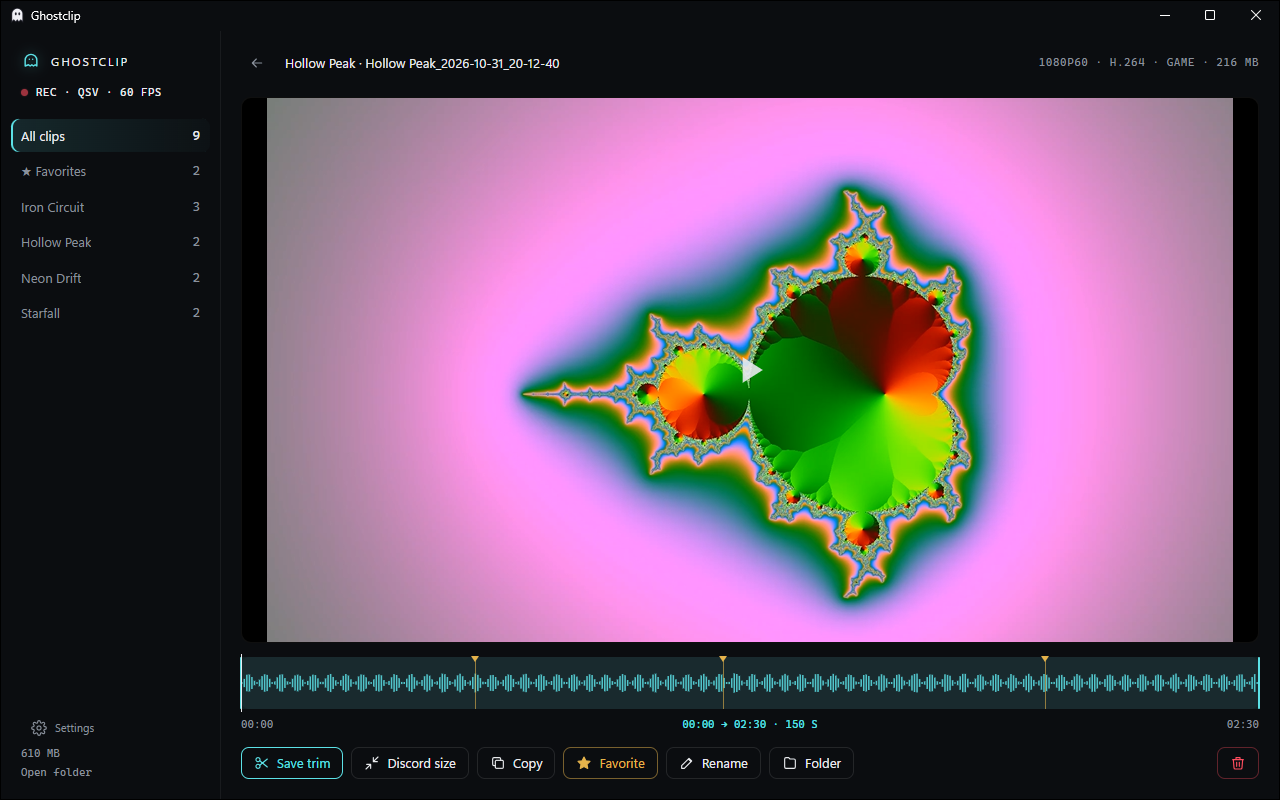
Every clip and screenshot by game, with thumbnails, a player, favorites, renaming and actions on several at once. Trim by dragging over the audio waveform: the cut starts on a keyframe, so what you see is what you get.
Compress any clip to fit Discord's upload limit, on the GPU, with game and mic mixed. Or copy the file and paste it straight into a chat.
Make a vertical copy of the part of the picture you choose at 1080x1920, encoded on the GPU. Or join several clips into one video for a compilation, without re-encoding.
Cut a dull stretch out of the middle, slow a play down to half or a quarter, speed a long stretch up to four times, mute what someone said, or keep the part you marked as a GIF or just its sound. Cuts don't re-encode; the rest runs on the GPU.
In a recording of two minutes or more, the timeline marks where the sound stands out, and B jumps from one to the next, along with your bookmarks. Wheel to zoom in, and the frame under the pointer shows above the timeline.
About to open your bank or type a password? Pause from the tray or a key you choose: the replay buffer is deleted, and nothing is recorded until you resume. A session running at that moment is saved first, and Ghostclip records again the next time it starts.
A second key for a shorter clip, Alt+F8 to mute the mic while you play, commands for Stream Deck and macros, and the replay buffer on the drive you choose, to spare the system's SSD.
Set a space limit, and past it the oldest clips and screenshots are deleted after each save. Favorites, clips you renamed and files Ghostclip didn't make are never touched. Off by default.
The tray, notifications, library and settings follow the language Windows uses, or the one you pick, and switch as soon as you save, without restarting recording.
The library is its own process and exists only while its window is open. In the background there's just a tray icon and the recorder.
On an i7-13620H laptop with Intel UHD graphics, 1080p60 at 20 Mbps, idle desktop. Game benchmarks with FPS and 1% lows are on the way; the script that makes them is in the repository.
Ghostclip isn't code-signed yet, so SmartScreen doesn't know it. Choose More info, then Run anyway. The installer is built in public by GitHub Actions from the source you can read, and signing is on the way.
Ghostclip never touches the game process: no injection, no hooks, no memory access. It records the desktop the way Windows' own screen capture does. That is the kind of recorder anti-cheat systems leave alone, but no tool can promise what a given game will do.
Windows 10 2004 or later, or Windows 11, and a GPU with a hardware encoder: NVIDIA (NVENC), AMD (AMF) or Intel (QuickSync). The installer brings everything else, including .NET and FFmpeg, and needs no admin rights.
Try, one at a time: keep Games first on (Settings > Advanced), switch Capture to Windows Graphics Capture, record at 30 FPS, or record at 1080p or 720p (Settings > Video). Then press Copy diagnostics and paste it in an FPS report with your FPS with Ghostclip off and on. More in the README.
To Videos\Ghostclip\<Game>, one folder per game, with screenshots next to the clips. You can pick another folder in Settings, and set a space limit there so the oldest clips make room for new ones.
The recorder doesn't use the network. The tray app checks GitHub Releases for updates, and that's all. There's no account, telemetry or ads.
Settings > Apps > Installed apps > Ghostclip > Uninstall. It removes the app, its settings and its buffer; your clips stay in your Videos folder.